This release is all about reducing the manual steps between completing a job and getting paid. With new invoicing automations, agencies can now configure payment terms, hour minimums, rounding rules, and sender defaults once at the agency level, then fine-tune them per client as needed. The result: fewer repetitive edits at invoice creation and more consistency across your billing.
Beyond invoicing, this update brings a scheduled time timecard automation for departments that bill based on job schedules rather than actual clock times, a redesigned Agency Settings page built for faster onboarding, and a fix for a payment routing edge case that could cause invoices to appear unpaid after a W2/1099 configuration change. Here is what is new.
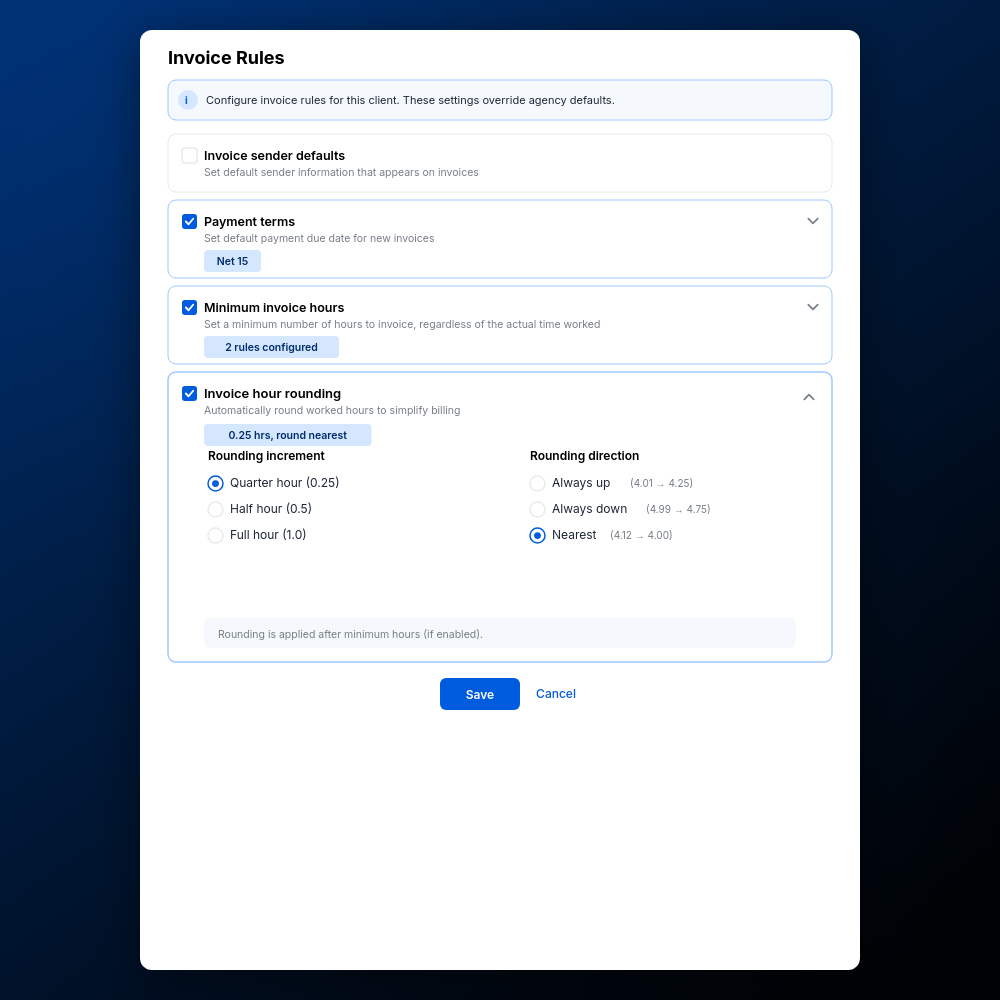
RollKall now supports agency-wide and client-specific invoicing automations covering payment terms, hour minimums, rounding rules, and sender defaults. Configure defaults once at the agency level, then override them per client as needed.
Configure defaults for rounding, minimums, payment terms, and sender info in Agency Settings. These apply to all invoices unless a client override is in place.
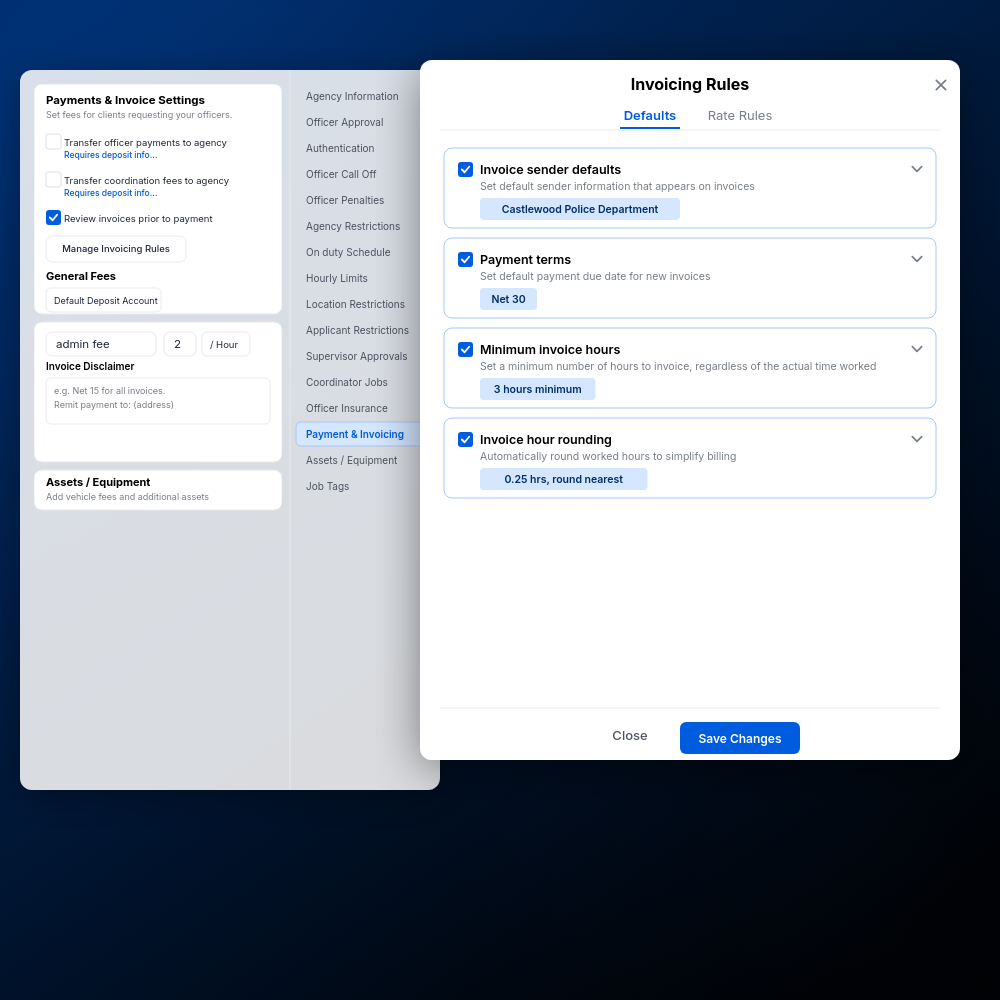
Override any agency default from the Edit Client page. A new icon on the Client List flags which clients have custom rules configured.

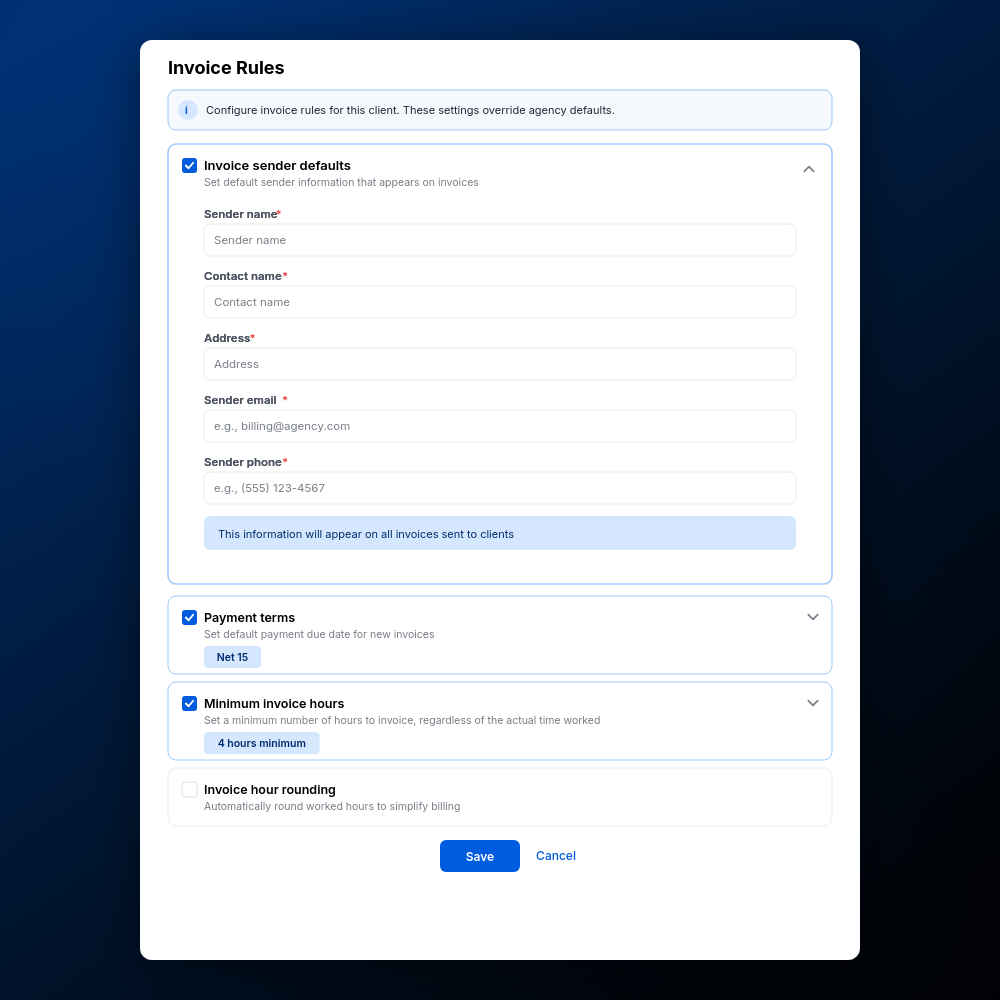
Auto-populate "From" fields at invoice creation. The system pulls the agency default, then swaps to a client-specific sender the moment that client is selected.
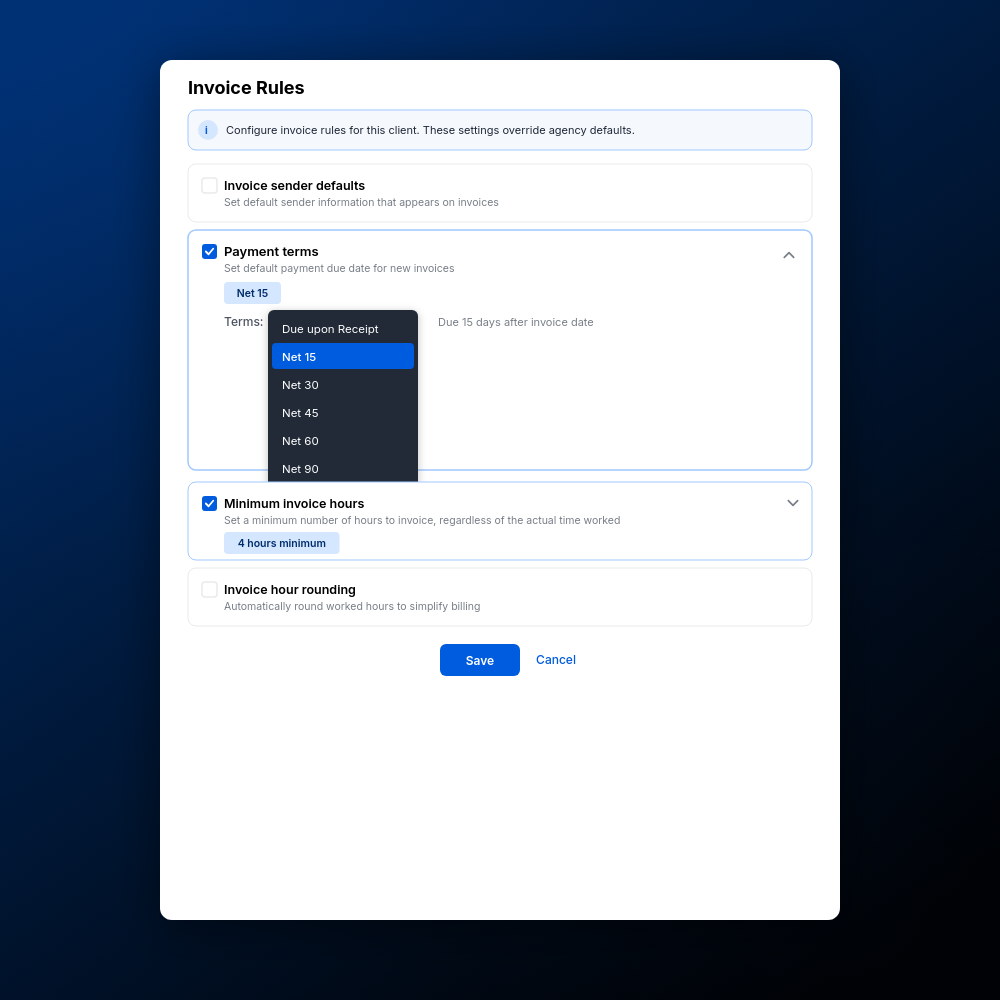
Set Net 30, Net 15, or custom terms per client. The due date is calculated and filled in automatically.
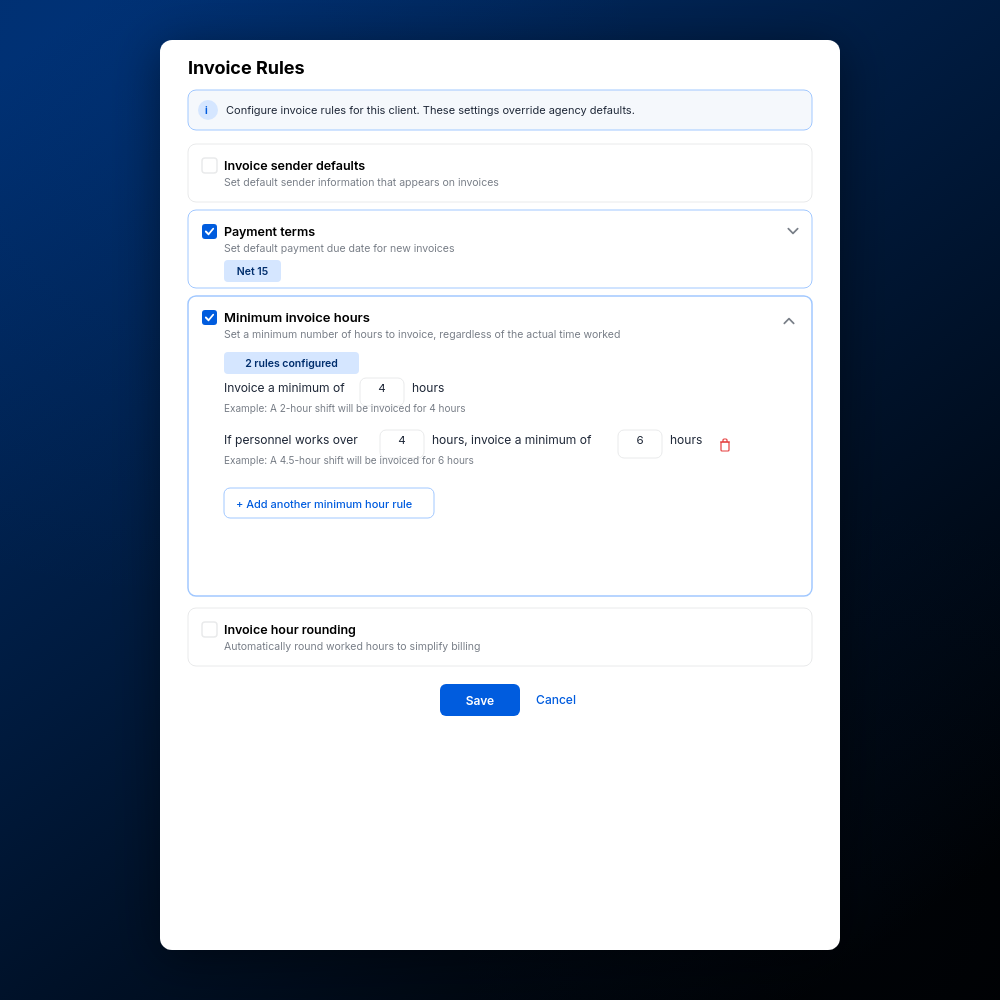
Define a minimum invoiced hours threshold per officer. If a timecard falls short, hours are automatically rounded up.
Automatically round invoiced hours to the nearest full, half, or quarter hour, configurable per agency or client.
Note: Automations apply at invoice creation. Changing a rule after an invoice has been created will not retroactively update existing invoices. Officer timecards are always preserved , these automations only affect invoiced hours.
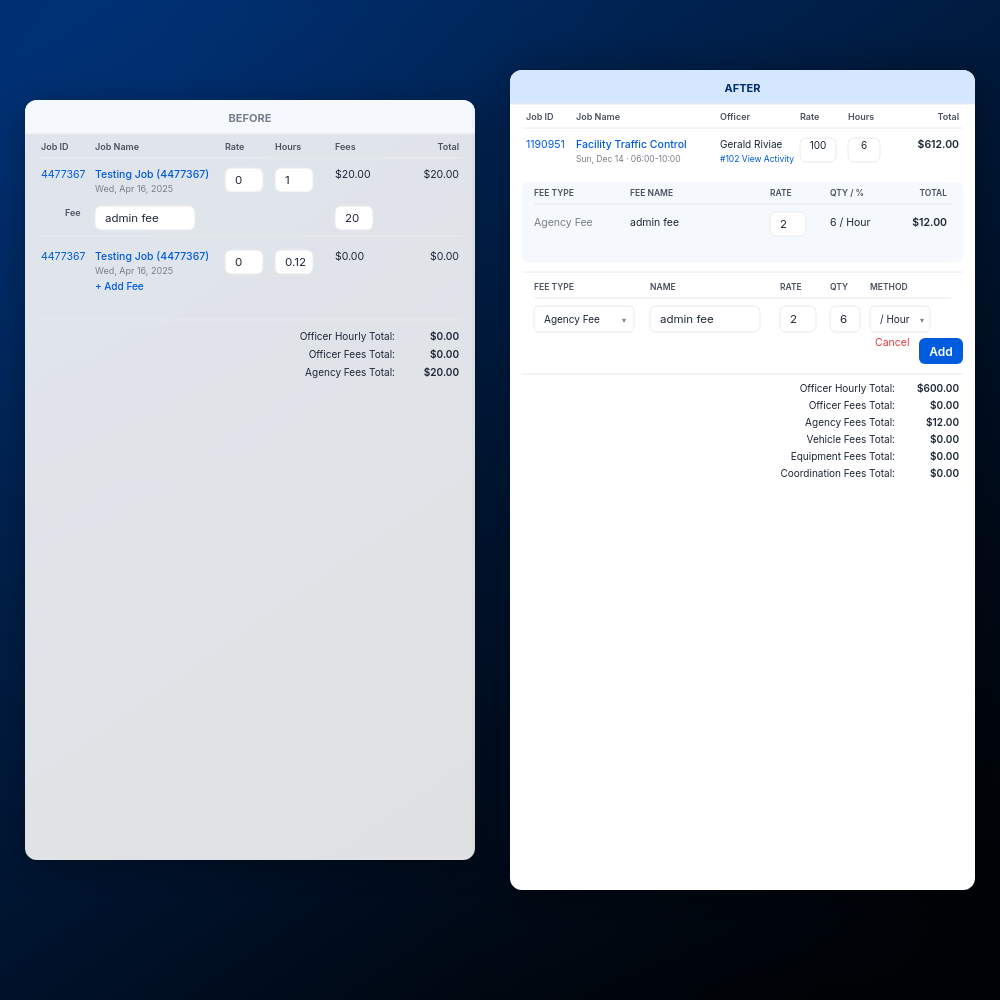
The fee interface now surfaces a Quantity field alongside Rate for every fee line item, making it clearer how each charge is calculated. Applies to both agency and client portal UIs, across V2 and V3 invoices.
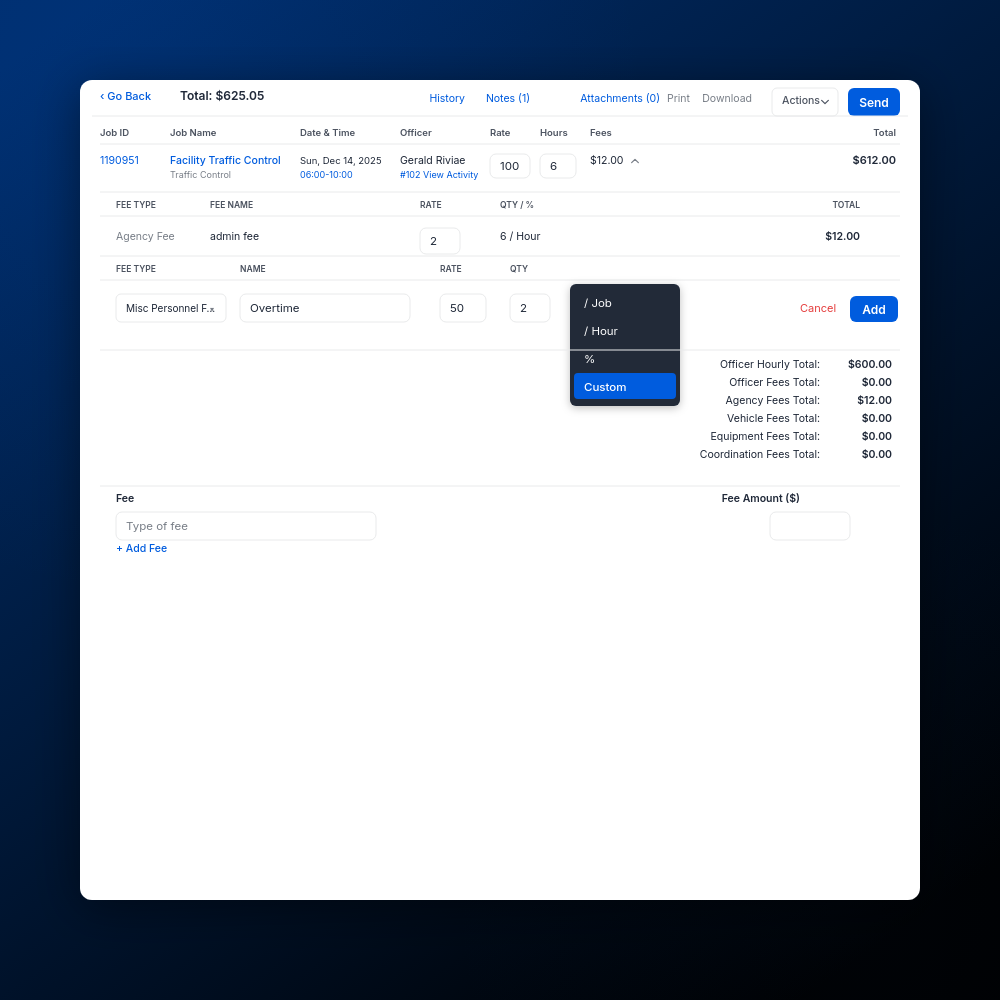
A new /custom calculation type gives users full control over both Rate and Quantity fields, filling a gap discovered during V4 migration where some departments needed flexibility that didn't fit /job, /hours, or /%.
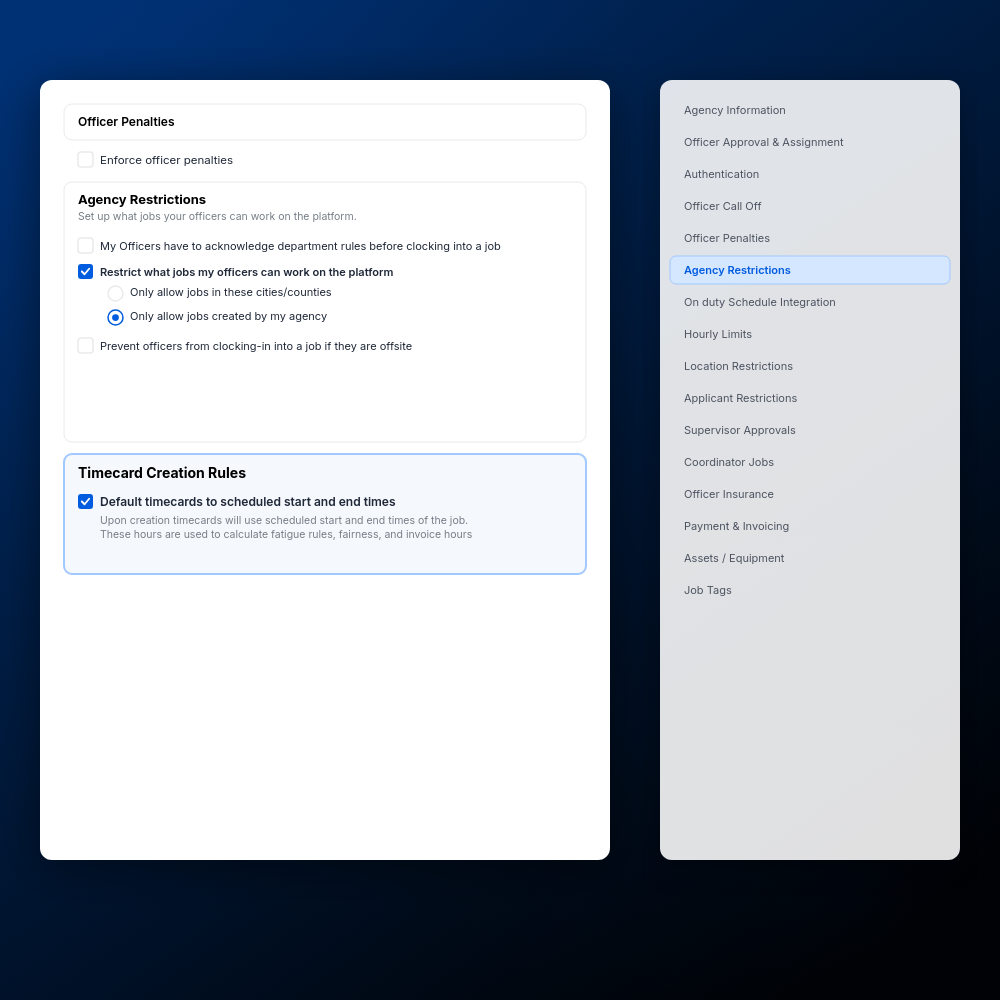
Agencies can now enable a setting that automatically adjusts an officer's timecard hours to match the job's scheduled start and end times. Ideal for departments that invoice based on scheduled rather than actual clock-in/out times.
Note: Timecards continue to be used for assignments and fatigue rules unchanged. Only invoiced hours are affected.
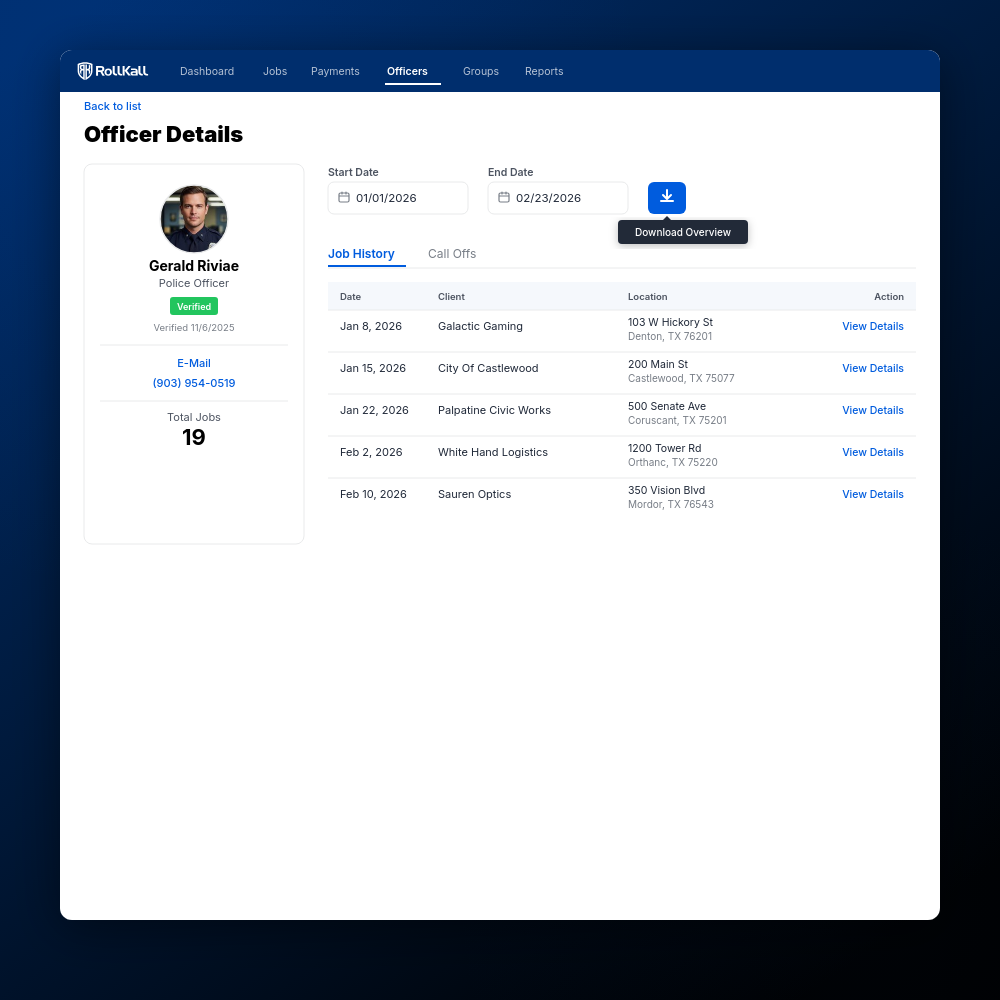
The Officer Overview Report is now available directly from the Officer Profile & Schedule view. Previously only accessible from the legacy Reports tab, the report can now be generated as a direct PDF download by selecting a date range and clicking the new "Download Overview" button.
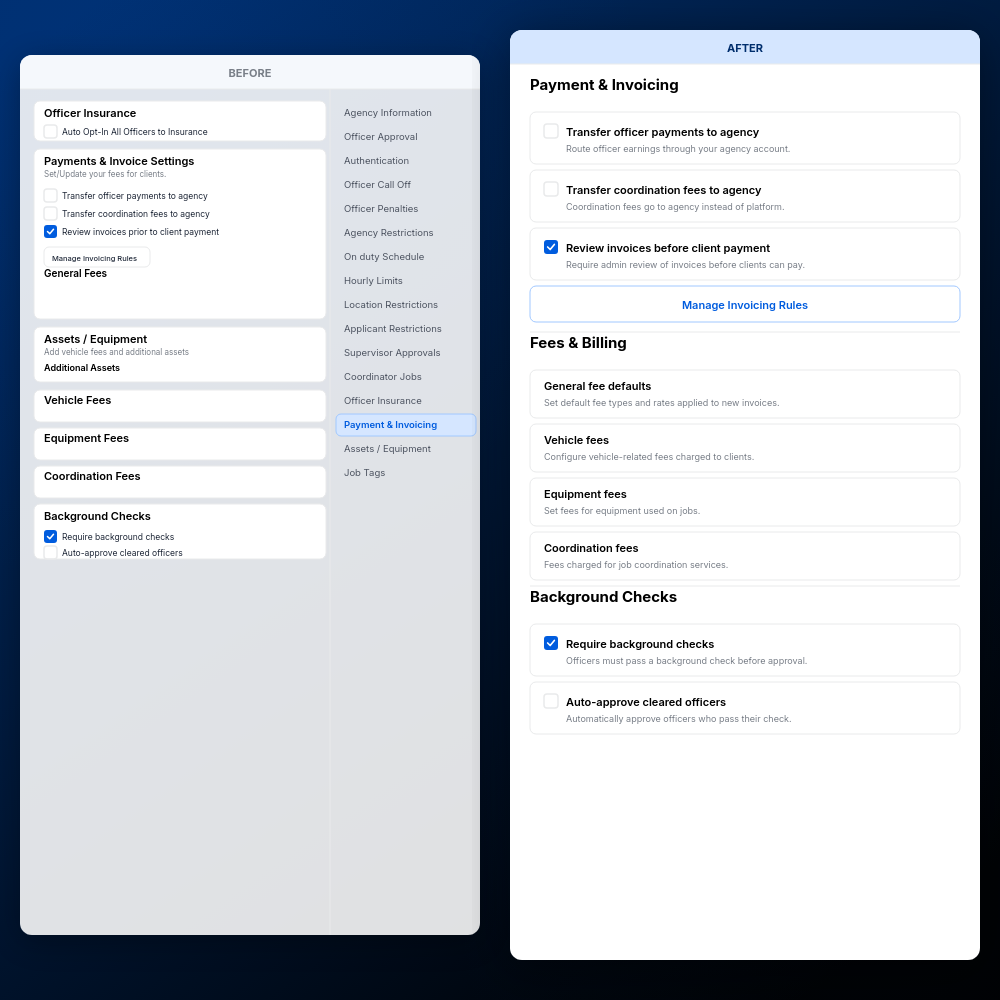
The Agency Settings page has been fully reorganized and reworded to make onboarding faster and day-to-day navigation clearer. This is a UI-only change , no functionality was removed or altered.
Paid/Unpaid Invoice Status for W2/1099 Switched Departments
When a department's W2/1099 configuration changed between invoice creation and payment processing, payments could be misrouted , appearing as "Unpaid" in officer earnings even after the client had paid.
The system now captures a snapshot of W2/1099 payment routing at invoice creation time. All payment processing, accounting records, and earnings views use this snapshot instead of live jurisdiction rules.
Dedicated to first responders, RollKall simplifies every aspect of vendor-paid details.